You are the architect.
You decide what gets built and what good looks like. Claude builds it.
Learn to direct Claude to build working software, without writing code. It is the method behind every Dark Shadow Garage digital product, from small websites to large, complex software. You learn it on one tool of your own.
One email when it opens, 48 hours before anyone else. No newsletter.
€149 for the first 100 places. €299 after that.
66 lessons and a free one
About 11 sittings to your first tool
Every lesson spoken by Aura
One payment. No subscription.
01 For you
You do not need a team, and you do not need to be a developer. You need to know what you want, and a way of working that delivers.
This is not a course that shows you what the buttons do. It is a year of real building, packed into a course: about eleven sittings to your first working tool, then the rest at your own pace. It holds the method, the standard and the mistakes, so you do not start from scratch.
Claude does the building. You lead, and you check. The course teaches you to lead it: describe what you want, judge the plan, check the work, and finish something real. You learn it on one build, a tool that reads your files and gives you a summary, with a web version of it, and you run your second build on your own in the last lesson. Tools that keep other people's data on a server need more than this course teaches.
You decide what gets built and what good looks like. Claude builds it.
The course builds the Monday report: files in, a weekly summary out. Bring your own project if it is of that kind and the same steps apply to it; otherwise use the practice pack. Either way it runs on actual export files, your own or the practice pack's invented ones, and you check it yourself. If you do the work, it is working on your computer by the end, and live on the web as a page if that suits it.
No subscription and no community to keep up with. The course, the practice pack, and the kit if you buy it.
02 The method in five lines
You decide what gets built and what good looks like.
One page says what it is, who it is for, what it must never do, and when it is done.
A rules file, one plan and a handoff note, so nothing lives only in a chat.
Deleting, spending, sending as you, publishing and secrets always wait for you.
Tested on the real thing by you, read by a second session, cleaned up.
03 A lesson, opened
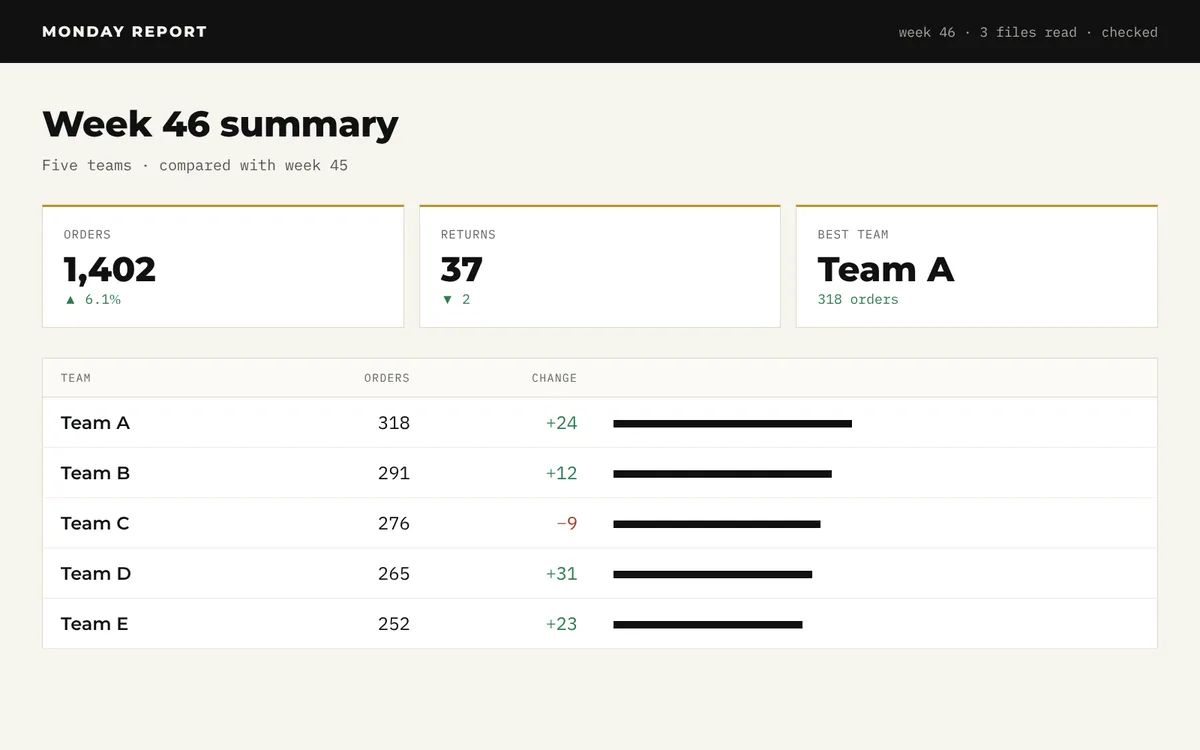
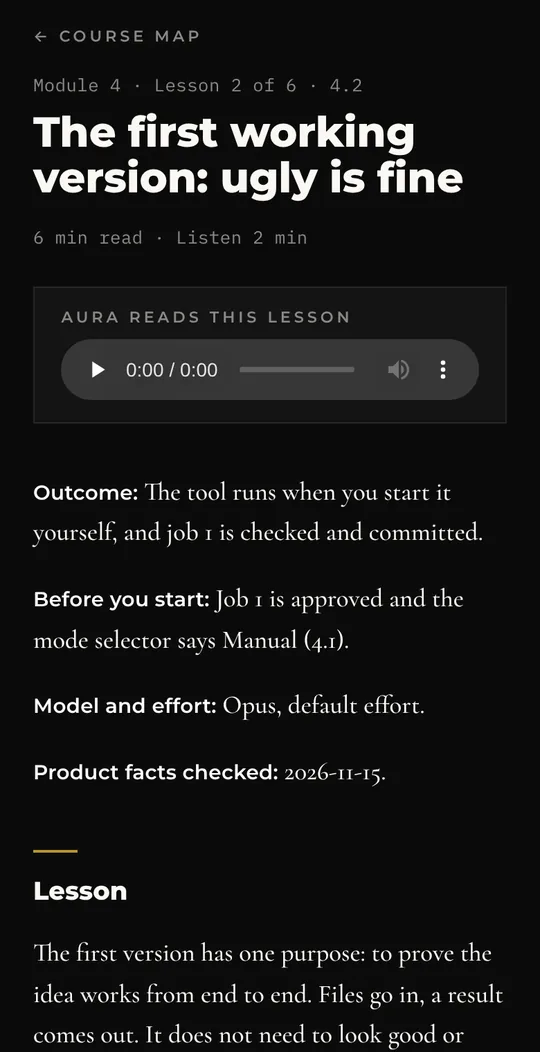
The tool runs when you start it yourself, and job 1 is checked and committed.
What you will have when it is done.Job 1 is approved and the mode selector says Manual (4.1).
What must be true first.Where: Code tab, your project folder · Mode: Manual · When: when Claude says job 1 works
Job 1 works, you say. I want to start the tool myself, without you: [your guess, even a rough one, for example "a file I double-click"]. Push back first if you would do it differently; then I decide.
It must read the week folder I name, for example samples/week-2026-11-15: when I start it, it asks me which week folder to use and lists the week folders it finds in samples and in this-week. It must work out the week from the dates in the files, not from the folder name. Save the summary in a folder named output inside the project. Before you create that folder, add the line output/ to .gitignore and show me the change: the summary holds real figures. Give me the simplest method for my computer, step by step, and tell me what I should see when it works. Do not change anything while you explain, and wait for my yes before you make anything.Claude says it ran fine, but nothing happens when you double-click. The tool only runs from inside the session. Ask for a method you can use yourself, and try it before you move on.
What usually goes wrong, before it does.04 The members area
05 Inside
Sixty-six lessons, plus the free lesson. Sixty-two are the main path; four are marked Reference for when you need them. Each has the words to give Claude, where to type them, how to tell if the answer is good, a check you can make yourself, and where it goes wrong. Each lesson is written text you read and follow, with prompts you copy.
from a rough idea to a one-page brief and a draft plan, in about half an hour.
what you will build, what it costs, what Claude can and cannot do, how to use the course
describing a product so Claude can plan it
the ignore list and a private history first, your samples last
rules, plan, handoff, and an undo drill
from the plan to a working, tested tool on your own computer, checked against two real weeks, figure for figure
jobs, which Claude for which job, one plan, the done checklist
three checks, the break-fix prompt, three ways back
secrets, approvals, a second reader
live, at near-zero running cost
weekly rhythm, usage, skills, your next build
how the Architect's own builds went, what he threw away and what broke, then your second build on your own
06 Taught by Aura
Every lesson has a spoken version in Aura's voice, about three minutes long. She runs as chief of staff at the heart of one of our digital products, speaks in a voice made in our studio, and was built by someone who does not write code, directing Claude, the way you will work here. She reads the lessons; she is not a tutor you can talk to. The Architect (see About) wrote and checked every lesson, working with Claude sessions in his studio. Aura runs on software built this way.
Hear Aura: the free lesson, spoken
In production, free for every buyer
How one person runs several Claude sessions as a team: a builder and a reader, shared work lists, proof before anything joins the main line, and your own team standard, on one computer or two. It is the way the studio builds its largest software. No release date is promised. It arrives in your members area at no extra cost when it has passed the same reviews and test runs as the rest of the course.
07 What you will have at the end
It is checked against real figures, with tests you run yourself, and it runs on your own computer. Plan about eleven sittings to get there: nine of 60 to 90 minutes and two of about two hours. The first build, in Module 4, is the last three.
A web version that other people can open, at near-zero running cost. It goes live only when you say yes. That is Module 8.
A brief, one plan, small jobs with checks, a written standard, and your yes for the big things. The last lesson has you run a second build with the lessons closed.
08 The kit
The working files the Architect starts every project with, cleaned up for anyone. The lessons teach each one as you need it. With the kit, you have the files themselves, ready to drop into your project as one folder.
CLAUDE.template.mdThe rules file, blank: copied into your project as CLAUDE.md, it sets how Claude works there.
PLAN.mdThe one plan: what is done and what is next, in order.
HANDOFF.mdWhat a session writes down before it ends.
PROTOCOL.mdThe short version of the method, for you to edit as your own.
JOB_BRIEF.mdHow to hand Claude one piece of work.
DONE.mdWhat must be true before a job counts as built, and as done.
SECOND_READER.mdAsks a fresh session to review work it did not write.
BREAK_FIX.mdTurns an error into a diagnosis and a fix.
RELEASE.mdThe steps before anything goes live.
RUN_TESTS.mdAsks Claude for one file you double-click to run every test yourself.
MONTHLY.mdThe monthly check: what was skipped, what to prune.
LABELS.mdToday's button names and box wordings, dated.
MODELS.mdToday's Claude models and effort levels, what each subscription includes, dated.
skills/Three ready skills: product brief, handoff, release.
settings.jsonPermission rules: what Claude must ask about, and what it must never read.
gitignore.txtWhat Git keeps out of your history, so it never reaches GitHub.
CHEATSHEET.mdTwo printed pages: the picture, the yes list, before the first message (with the modes), opening and closing a sitting, while Claude works, three ways back, when it breaks, done, model and effort, when you are stuck.
GLOSSARY.mdSixty words, in plain English.
practice/Invented sample files for the Monday report, to build alongside the lessons. Comes with every purchase, course alone included.
practice/judging/Five staged pieces with planted faults, and answer sheets. Comes with every purchase, course alone included.
Course alone (on sale once the founding places are gone)? The lessons print the kit files they use in full, and you type or paste each one from the lesson. The kit adds the glossary, today's button names, today's model list, the cheat sheet as a file ready to print, and every file ready made.
09 Who it is for
No code is needed to start. If you already write code, you will move faster through the set-up, and the method still changes how you work.
This course is a Dark Shadow Garage product, from Tito Toivola, the Architect, who founded the studio in Espoo, Finland, in March 2026. He has three decades in IT and telecom, never as a developer, and has never written code by hand.
This page, the members area you will learn in and the admin behind them were built the same way: one person directing Claude, with no code written by hand.
For about a year, since before the studio began, he has built every day by directing AI. Dark Shadow Garage builds with matter, paper and code: motorcycle builds, books and written standards, and software. On the code side that means digital products from small websites to large, complex software, each built by one person directing AI.
The first thing the studio made was not software. It was a written standard for how the studio works, before any site existed. Every build since has started from it.
This course is that method and that standard, written down, with years of lessons learned directing and building services and products, so that you can build the same way.
11 The offer
Founding price, for the first 100 places
€149
Course and kit
One payment. No subscription.
The waitlist gets 48 hours to take a founding place first.
EU and UK: 14 days to change your mind.
After that Course €199. Course and kit €299.
What you need besides the course: a Mac or Windows computer, a paid Claude plan and a few hours a week. Pro is about €22 a month in Finland, with VAT; plan on at least two months of it for your first build.
One payment, no subscription, yours to keep: you can download every written lesson, and the kit if you bought it, as plain text files that open in any text editor, and the copies stay yours. The spoken versions play in the members area. When we improve or add to this course, you get it at no extra cost.
In the workshop: advanced modules, free for every buyer as each one is finished. Planned first: voice and sound, pictures and film, and making physical things: 3D prints, CAD and drawings. Same method, same one payment.
Prices include VAT where it applies; Link shows the final price before you pay.
The practice pack comes with every purchase, course alone included.
Instant access. Access starts the moment you pay, and you get everything at once: every lesson, the practice pack and, with the kit, every file. Link (part of Stripe) sells the course for us and handles refunds: under Link's terms, buyers in the EU and UK can cancel within 14 days of getting access, other requests are decided by Link case by case, and you can ask through Link support or by writing to us. If anything is faulty or not as described, write to us at [email protected] and we will put it right. This does not limit your rights under consumer law.
12 Questions
No. You will not write code. You decide what gets built, Claude writes it, and you check that it works. You will read a few short settings files, line by line, with Claude explaining each.
A paid Claude subscription. The free account does not include Claude Code, which the course uses. We recommend starting on Pro, paid monthly. On 2026-11-15, claude.com/pricing listed Pro at 20 US dollars a month; Anthropic charges in your local currency where it can, and the figure at its checkout, with any tax, is the one that counts. For a buyer in Finland that is about €22 a month with VAT. At two sittings a week your first working tool takes about six weeks, so plan on at least two months of Pro besides the course: in Finland, the founding price and two months of Pro come to a little under €195. Lesson 0.2 covers today's prices and the little else you might pay for. GitHub's free plan is all you need for your history.
Either. The course works in the Claude desktop app, which runs on Mac and Windows. Lesson 2.1 lists what your computer needs. The set-up lessons cover both. The course was built on a Mac. Every practice figure was reproduced in step-by-step test runs, the lessons of the first build were run live in Claude's Code tab, and GitHub Desktop and the start file were checked on a Mac. The Windows steps follow Anthropic's and GitHub's own instructions and have been tested less.
Plan about eleven sittings to reach your first working tool: nine of 60 to 90 minutes and two of about two hours. Three are for Modules 0 and 1, the two long ones are the set-up in Module 2, three are for the rules, plan and handoff files in Module 3, and three of about ninety minutes are for the first build in Module 4. After that, weekly use is two fixed sittings.
It will. Screens move and prices change. The method does not depend on any one button: a brief, one plan, small jobs with checks, and your yes. Product facts are checked against the official pages. Lessons that state prices, limits or button names show the date those facts were last checked, and we aim to keep them up to date. If a step fails, write to [email protected] with the lesson and step.
Yes, if it is the same kind of project: a tool that reads files you have and gives you a summary. The steps are the same, and the practice pack is there if you do not have one. The course does not build other kinds of project, such as a shop, a booking system or a site with forms, so it does not promise them.
Not in this course. Tools that keep other people's data on a server, such as forms, stored data or sign-in, are left out on purpose: checking them needs more than this course teaches. You build a tool that works on your computer, and put it live on the web as a page if that suits it.
The course builds one small tool, because that is the safe way to learn the method. The method itself scales: it is the method the studio builds with, small and large (see About). Bigger builds take more time and more of the course's checks, not a different method; tools that hold other people's data on a server also need skills this course does not teach.
The AI at the heart of one of Dark Shadow Garage's digital products, where she runs as chief of staff. She reads every lesson in a voice made in our studio; she is not a tutor you can talk to. She was built by someone who does not write code, directing Claude, the way you will work here. The Architect wrote and checked the lessons, working with Claude sessions in his studio. Aura is not part of what you buy.
It teaches running a team of Claude sessions, from two up, on one computer or two. It is in production, with no date promised. When it is ready it is added to your course at no extra cost, like every improvement. A team of sessions uses more of your Claude allowance than one, usually more than Pro gives; the module will say so plainly.
No, by design. You learn this by building your own thing at your own pace, not by keeping up with a feed.
No live support. If a step in a lesson fails, write to [email protected] and say which lesson and step.
Link (part of Stripe) sells the course for us and handles refunds: under Link's terms, buyers in the EU and UK can cancel within 14 days of getting access, other requests are decided by Link case by case, and you can ask through Link support or by writing to us. If anything is faulty or not as described, write to us at [email protected] and we will put it right. This does not limit your rights under consumer law. To see how the course teaches first, take the free lesson.
While the 100 founding places last, only course and kit is on sale, at €149. After that you can choose: course alone at €199, or course and kit at €299. The lessons print the kit files they use in full, so the course works on its own, and course-alone buyers type or paste each file from the lesson. The practice pack, including the staged pieces for judging, comes with every purchase. The kit gives you every file ready made, plus the glossary, today's button names, today's model list and the cheat sheet as a file ready to print, so your first project starts with files that already work.
Nothing real. It asks you to describe your work, not to paste it.
A free GitHub account, which keeps a safe history of your work, from Module 2. If you put a tool live in Module 8, a free Cloudflare account. The Architect uses Cloudflare, and it is where we would start.